REVIEW · ESIM & TRAVEL CARDS
Incheon Airport: Traveler SIM & T-money Transportation Card
Book on GetYourGuide →Operated by Roaming Star Inc · Bookable on GetYourGuide
Good internet starts at the airport. This Incheon Airport setup bundles a 4G LTE SIM and a T-money transport card, so you can get around Korea without hunting for Wi‑Fi or figuring out ticket apps.
I love the greeter setup at the LG U+ counter, because they help activate your SIM and make sure your phone actually has data. I also like that the same pickup hands you a transit card for subways and buses right away.
One possible snag: topping up the T-money card can require cash (not credit), so have a little Korean won ready before you start riding.
In This Review
- Key Things That Make This Incheon Pickup Worth It
- Incheon Airport, Your Two-Card Setup Starts Fast
- Where to Find the LG U+ Counter After Customs
- Step One: SIM Activation and the Checks You Should Do
- Phone compatibility: the big two you must know
- Step Two: Your T-money Card and How It Works in Korea
- Charging T-money: The Practical Cash Reminder
- Where This Fits in Your First 24 Hours in Seoul
- Network Speed and Real-World Usability
- Price and Value: What $12 Buys You (and Why It’s More Than Just Data)
- Included, Not Included: Know What You’re Actually Paying For
- Who Should Book This, and Who Might Want a Different Plan
- Small Logistics Notes That Save Minutes
- FAQ
- Where do I pick up the SIM and T-money card at Incheon?
- What’s included in the package?
- Do I need to charge the T-money card before using it?
- Can I make outgoing calls and send texts with this SIM?
- What phone requirements should I know before arrival?
- How long is the SIM valid?
- Should You Book This Incheon Airport SIM and T-money Pickup?
Key Things That Make This Incheon Pickup Worth It
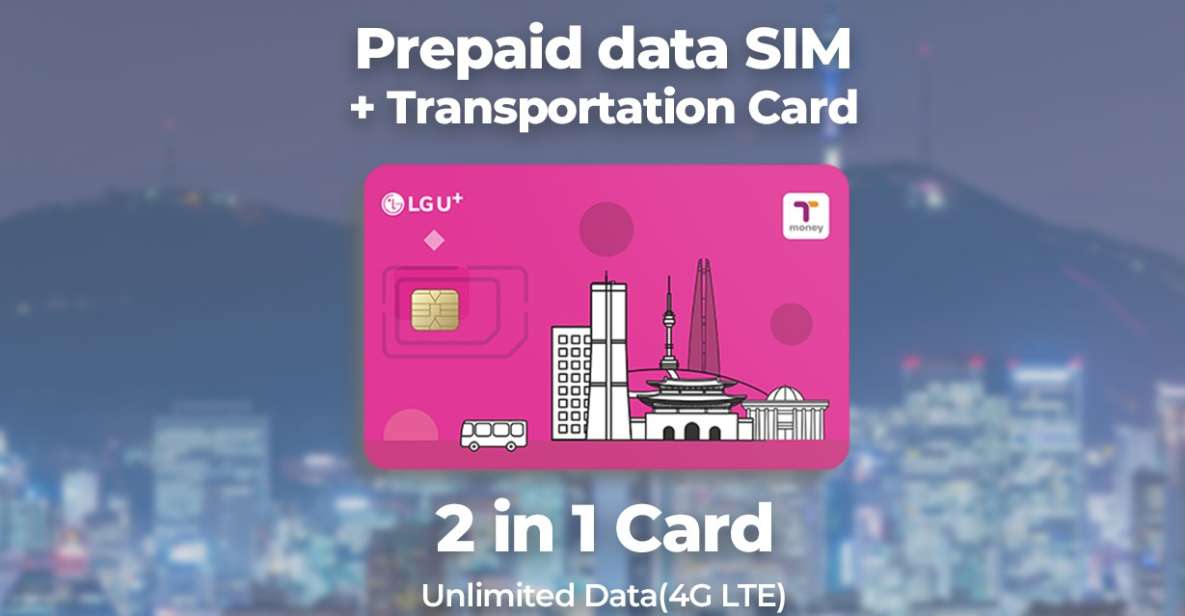
- 4G LTE internet with unlimited data plus hotspot usage, so you’re not stuck with patchy airport Wi‑Fi
- T-money transport card included, ready for subways, buses, convenience-store purchases, and some certified taxis
- Staff-assisted activation at the LG U+ counter so your phone is connected to data before you walk away
- Multiple SIM sizes supported (nano/micro/normal), which matters if you’re traveling with different phones
- Incoming calls and texts included, useful when you need to receive messages while traveling
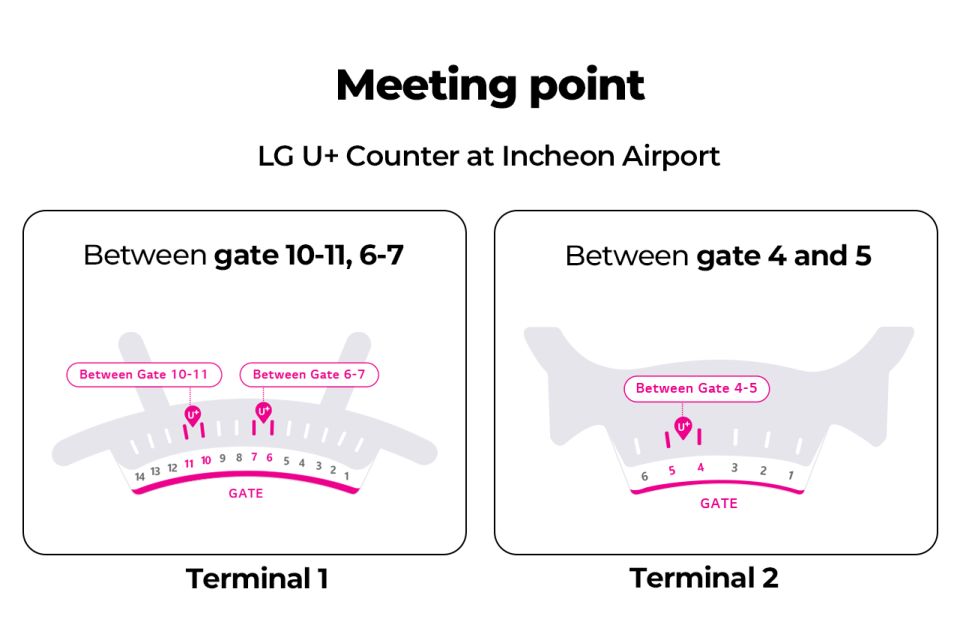
- Pickup points you can choose: Terminal 1 Gate A (usually less busy) or Terminal 2 options
Incheon Airport, Your Two-Card Setup Starts Fast
Flying into Incheon usually means one thing: you want your first day to feel easy, not confusing. This experience is built around two practical needs right away: staying online and paying for public transport.
I like that the pickup is designed as a quick “get it working” moment. You go to the LG U+ counter, the staff helps with activation, and you leave with both the SIM and the transit card in hand.
And because this is Korea, small frictions add up. If you can’t load maps, call your hotel, or message someone for directions, you waste time. The whole point here is to remove that friction before you even reach Seoul.
You can also read our reviews of more tours and experiences in Seoul.



Where to Find the LG U+ Counter After Customs
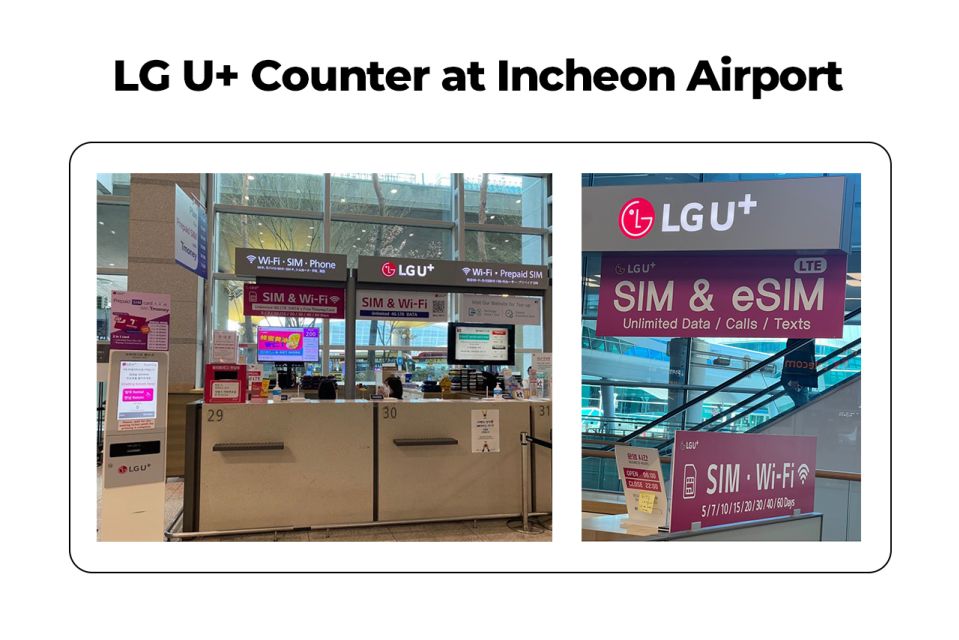
Your first mission is simply locating the right counter. The recommended option is Terminal 1, Gate A at the LG U+ counter, because it’s often less busy. If you’re arriving at Terminal 2, you’ll want the LG U+ area at Gate F with the stated gate ranges (Gate 3-4 or Gate 4-5).
Once you’re on the arrivals level, just follow the large airport signage that points you toward e-sims and roaming card counters. It’s close enough that you don’t feel like you’re sprinting across the airport, but far enough that you’ll appreciate going directly instead of wandering.
A useful real-world detail: the process can involve taking a ticket/number from a machine near the counter. If you miss that step, you might lose positions, so grab your number first.
Step One: SIM Activation and the Checks You Should Do
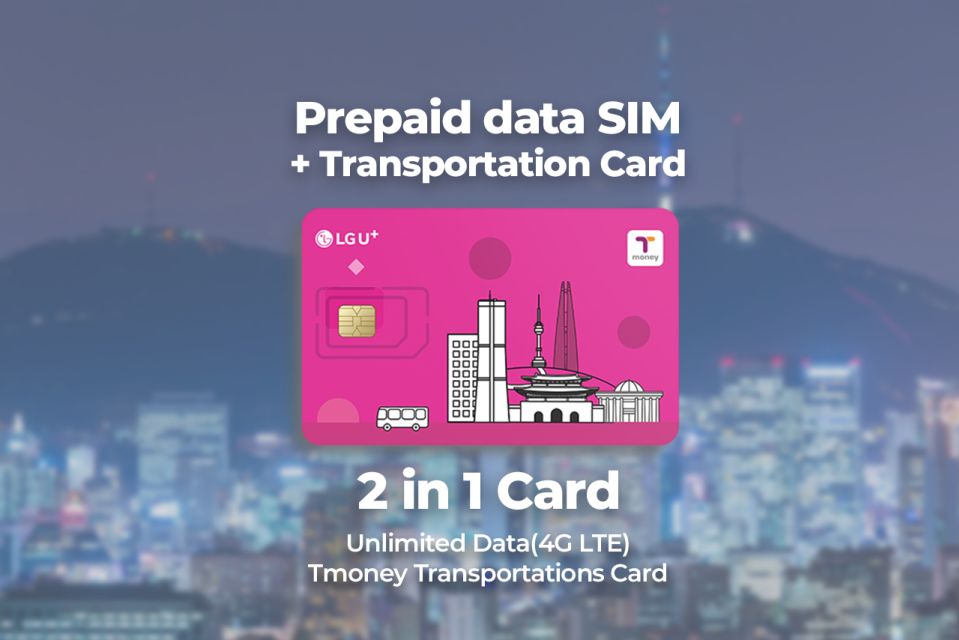
The SIM in this package comes with unlimited 4G LTE data. You also get hotspot usage, so if you need to share internet with a companion’s phone, you can.
At the counter, the greeter helps activate the SIM and tests the connection. That’s the part that makes a real difference, because many “SIM problems” aren’t about the network—they’re about a phone setting you forgot to change.
When you’re at the counter, do a quick sanity check before you walk away:
- Confirm your phone shows a working data connection
- Make sure you can browse or load a map
- Test one messaging app (just enough to prove it’s live)
- Verify your SIM fits your device (nano/micro/normal options are available)
Phone compatibility: the big two you must know
Before you arrive, double-check that your phone is fully unlocked by your mobile provider. This is especially important if your phone originally came from the United States, Canada, Japan, or the Philippines.
Also, be careful with iPhone models. If you have an iPhone 14 purchased in the US, you don’t have a physical SIM tray and it supports only eSIM. In that situation, your pickup experience depends on getting the right SIM type for your device—so make sure you’re ready for that at the counter.
Step Two: Your T-money Card and How It Works in Korea
This package includes a public transportation card called T-money. You’ll need to charge it before using it.
Once topped up, you can use it for:
- Subways and buses
- Purchases at convenience stores
- Certified taxis that accept card payments
That’s a big deal for first-time visitors. In Seoul, you’re often jumping between transit + quick convenience-store stops + taxis when the weather turns ugly. Having one card that covers a lot reduces mental load.
A simple way to think about it: you’re building a “transport + small spending” tool on day one. You’re not waiting to set up an app, you’re not hunting for a kiosk with unfamiliar steps, and you’re not paying extra just because you arrived unprepared.





Charging T-money: The Practical Cash Reminder
One detail that deserves your attention: topping up the transportation card can be a cash-only situation. At least one person found that it could not be charged with a credit card, which means you should plan to have Korean won on hand.
Here’s the practical approach I’d use:
1) Get a small amount of cash soon after arrival
2) Do your first T-money top-up early
3) Then use the card for rides and convenience purchases without stressing
Convenience stores and metro areas tend to make top-ups straightforward once you’re in the city, but the key is avoiding that first-day “I can ride, but I can’t pay yet” moment.
Where This Fits in Your First 24 Hours in Seoul
Think of this as your day-one infrastructure. After pickup, your phone is online for maps, translation, and messages, and your transport card lets you move quickly through the subway/bus system.
That means your trip starts to feel flexible. You can:
- Follow transit directions in real time
- Check where to get off without guessing
- Message friends or family with updated plans
- Avoid stepping into the wrong station complex
Also, because incoming calls and text messages are included, you can receive messages from a Korean number tied to your SIM setup. Outgoing calls and texts aren’t included, so don’t plan to rely on this SIM for making lots of calls—but it covers the common “someone needs to reach me” scenario.
Network Speed and Real-World Usability
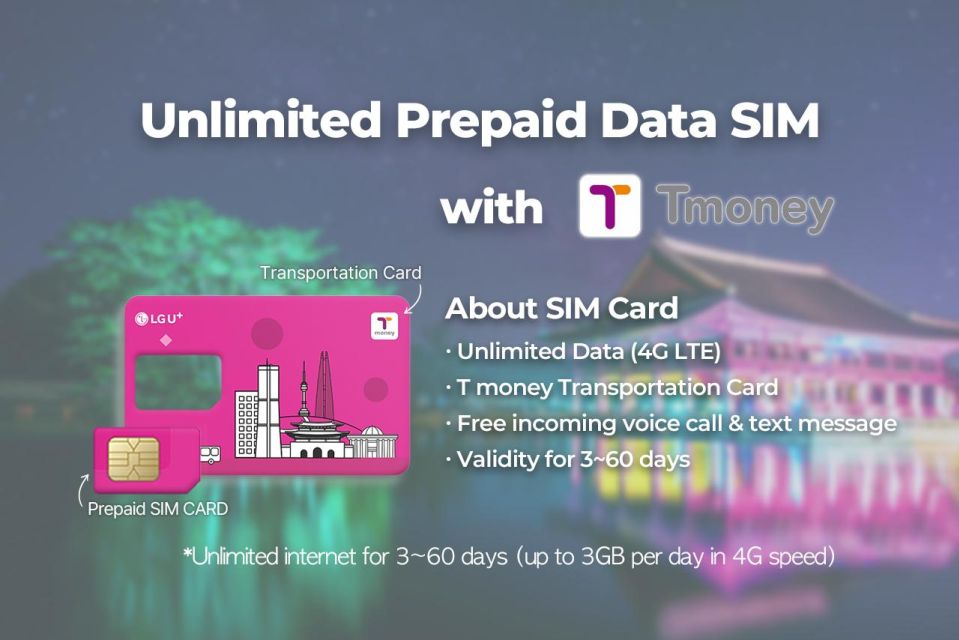
This SIM is described as unlimited 4G LTE with a focus on dependable use across Korea. Many people reported fast and stable coverage, and the staff help matters because it means you’re less likely to start your trip with an accidental configuration problem.
Unlimited data is especially valuable in a country where you’ll keep checking routes. Between subway exits, museum hours, and finding that exact café, you burn data in small bursts all day long. If you’re offline, those bursts become delays.
Hotspot usage is another underrated feature. If you’ve got a travel buddy with a phone that can’t use international data, you can share your connection instead of buying a second SIM or begging for Wi‑Fi.
Price and Value: What $12 Buys You (and Why It’s More Than Just Data)
The price here is $12 per person, with options for 3 days up to 2 months depending on what you choose. On paper, that sounds like a simple SIM deal. In practice, you’re buying two time-saving tools in one go.
You’re not just paying for internet. You’re also getting:
- A public transit card that can cover a lot of daily movement
- Staff help to activate and test your connection
- A way to receive incoming calls and texts without hunting down Wi‑Fi
That combination is what makes it good value for most short-to-medium trips. If you only wanted data, you might find cheaper options. But when you add the transit card, plus the counter help, this becomes a “less hassle” package, not just a connectivity product.
The duration range also helps. If you’re doing a quick Seoul-focused trip, the short option may fit. If you’re staying longer and bouncing between cities, the longer window can be more practical.
Included, Not Included: Know What You’re Actually Paying For
Here’s the clean breakdown of what’s included:
- Data SIM card (nano/micro/normal) with unlimited 4G LTE data
- Public transportation card (T-money) that needs charging
- Hotspot usage
- Incoming calls and text messages
What’s not included:
- Outgoing calls and text messages
- Identity verification service
The “identity verification service” note matters if you planned to use the SIM for sign-ups or verification processes that require extra steps. If that’s part of your plan, you’ll need to handle it separately rather than assuming the counter setup covers everything.
Who Should Book This, and Who Might Want a Different Plan
This works best if you want an easy airport start and you’re planning to use transit from day one.
It’s a great fit for:
- First-time visitors to Korea who don’t want to deal with transit apps right away
- Groups where one person wants internet immediately and others can piggyback via hotspot
- Travelers who rely on maps and messaging and hate dead phones
You might think twice if:
- Your phone setup is complicated (for example, eSIM-only devices need the right setup)
- You don’t want to manage a T-money top-up at all
- You mainly use Wi‑Fi and rarely ride public transport
Also, keep in mind there’s a limit: the maximum number of purchases per passport is 3. If you’re traveling as a big group, plan how you’ll split the pickups.
Small Logistics Notes That Save Minutes
A few details from real airport flow that can help you avoid little delays:
- Go to the recommended Terminal 1 Gate A pickup if you want a smoother, less busy start.
- Take a number/ticket if there’s a machine near the counter.
- During activation, watch the staff confirm your data is working.
- Charge your T-money card before you use it, not after.
None of this is glamorous. But it’s exactly how you avoid the “we’re stuck at the station” problem.
FAQ
Where do I pick up the SIM and T-money card at Incheon?
You’ll pick it up at the LG U+ counter at Incheon Airport Terminal 1 Gate A (recommended as less busy). Other options include Terminal 2 Gate F at Gate 3-4 or Gate 4-5.
What’s included in the package?
You get an unlimited 4G LTE data SIM card (nano/micro/normal options), a T-money transportation card (needs to be charged), hotspot usage, and incoming calls and text messages.
Do I need to charge the T-money card before using it?
Yes. The transportation card needs to be charged before you use it for public transport and card payments.
Can I make outgoing calls and send texts with this SIM?
No. Outgoing calls and outgoing text messages are not included, but incoming calls and texts are included.
What phone requirements should I know before arrival?
Make sure your phone is completely unlocked with your mobile provider. If you have an iPhone 14 purchased in the United States, it supports only eSIM (no physical SIM tray).
How long is the SIM valid?
The duration options range from 3 days up to 2 months, depending on what you select and what availability starts.
Should You Book This Incheon Airport SIM and T-money Pickup?
If you want an easy landing day, I’d book it. This setup removes the two big “first-day stressors”: getting online fast and having a transit card ready to use. For $12, you’re buying speed, staff help at the counter, and a practical T-money tool for moving around.
Skip it only if you already know you’ll be fine without transit charges or without needing data from the moment you arrive. If you’re starting your trip in Seoul soon after landing, this is one of the most straightforward ways to get moving with less fuss.



![EVERLAND "From Hotel to Hotel" [Premium Private Tour: Only One Group for You] - How the ~8-hour schedule plays out inside Everland](https://1.visitseoulkorea.com/wp-content/uploads/everland-from-hotel-to-hotel-premium-private-tour-only-one-group-for-you-400x267.jpg)